Your to-do app is already a financial dashboard; you just haven't set it up yet
Turn your to-do app into a financial dashboard. Learn how to track bills and subscriptions using your existing task manager for stress-free money management.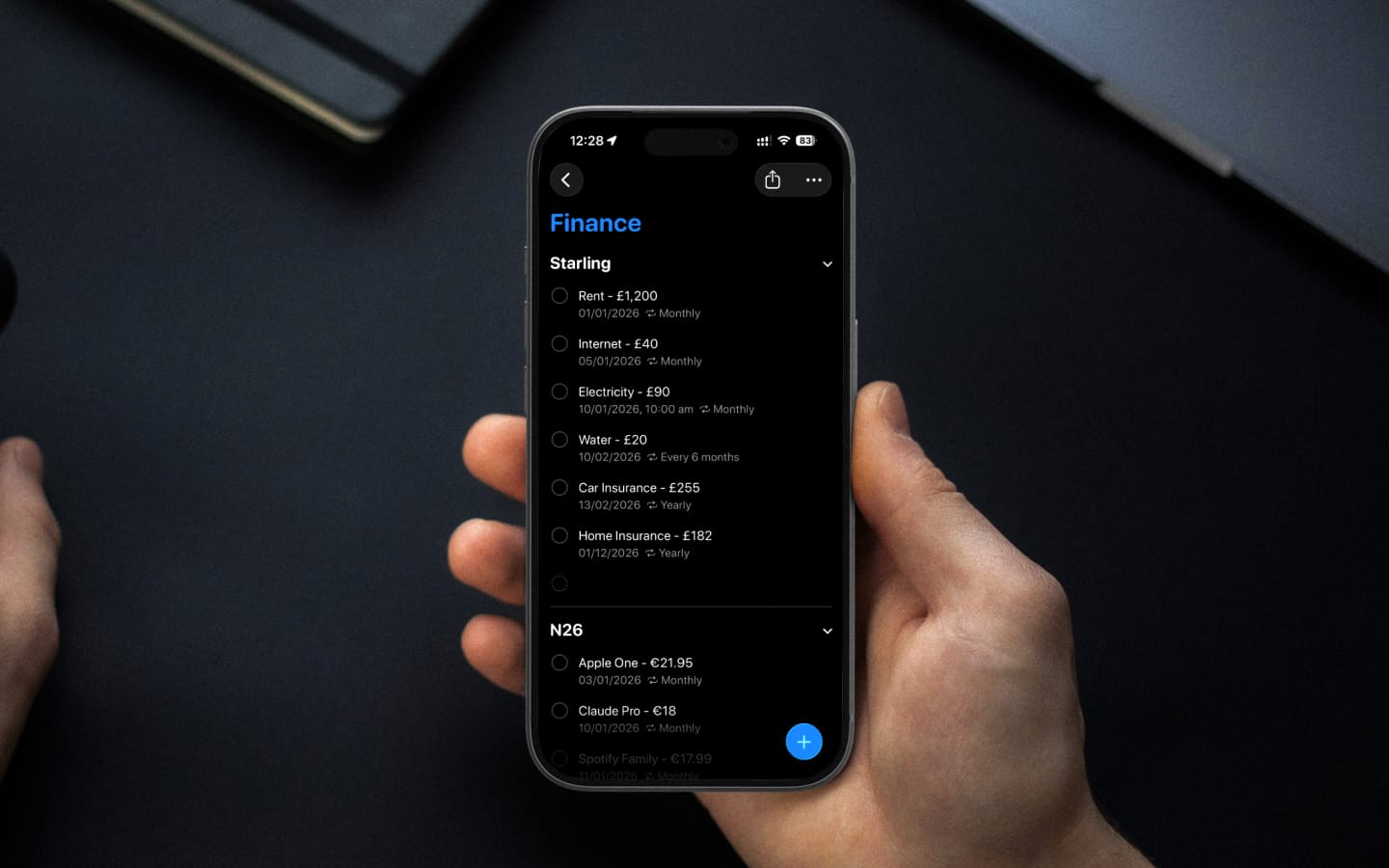
There was a time when managing household finances meant tracking three things: rent, electricity, and phone. Maybe car insurance if you were fancy. That was it. You could keep it all in your head without breaking a sweat. Then subscriptions happened. Netflix. Spotify. Cloud storage. Gym memberships. AI tools. Gaming subscriptions. Software licenses. Streaming services you forgot you signed up for. Suddenly, you're not managing three recurring payments; you're juggling fifteen or twenty. And they don't all hit on the first of the month like rent used to. They're scattered across the calendar like confetti, each one quietly draining your account on its own schedule.
That's when I realized I needed a system. Not another budgeting app (I already had one of those), but something that would keep these payments visible in my daily life. Something I'd actually look at. Turns out, I'd been staring at the solution all along: my to-do app.
Why your to-do app is the right place for this
Here's the thing about dedicated finance apps: they're excellent historians. I've used MoneyWiz for years to track spending patterns, categorize expenses, and see where my salary disappears each month. It's great at showing me where I've been, but it's not where I live.
My to-do app is. Whether it's Todoist or Apple Reminders, my task manager is the first thing I check in the morning and the last thing I review before bed. It's my single source of truth for everything that needs to be done. As I often tell my wife, "If it's not in my to-do list, it probably won't be done." So why would I put financial obligations anywhere else?
The logic is simple: if your to-do app already has your attention, your bills should be there too. Not buried in a separate app you open once a week (if you remember), but right there alongside your work tasks and personal errands. Visible. Unavoidable. Part of your daily rhythm. I've been running this system for over a decade now, and in that time, I haven't paid a single cent in late fees or interest charges. Not because I'm particularly disciplined with money, but because my to-do app makes forgetting impossible.
The principles
This approach isn't tied to any specific app. The principles work whether you're using Todoist, Apple Reminders, Things, or whatever task manager you've committed to. What matters is consistency and a few structural decisions.
Record everything that costs money
If money is leaving your account, it needs to be in your system. Subscriptions, bills, memberships, insurance payments; all of it. No exceptions, no "I'll remember that one." You won't.
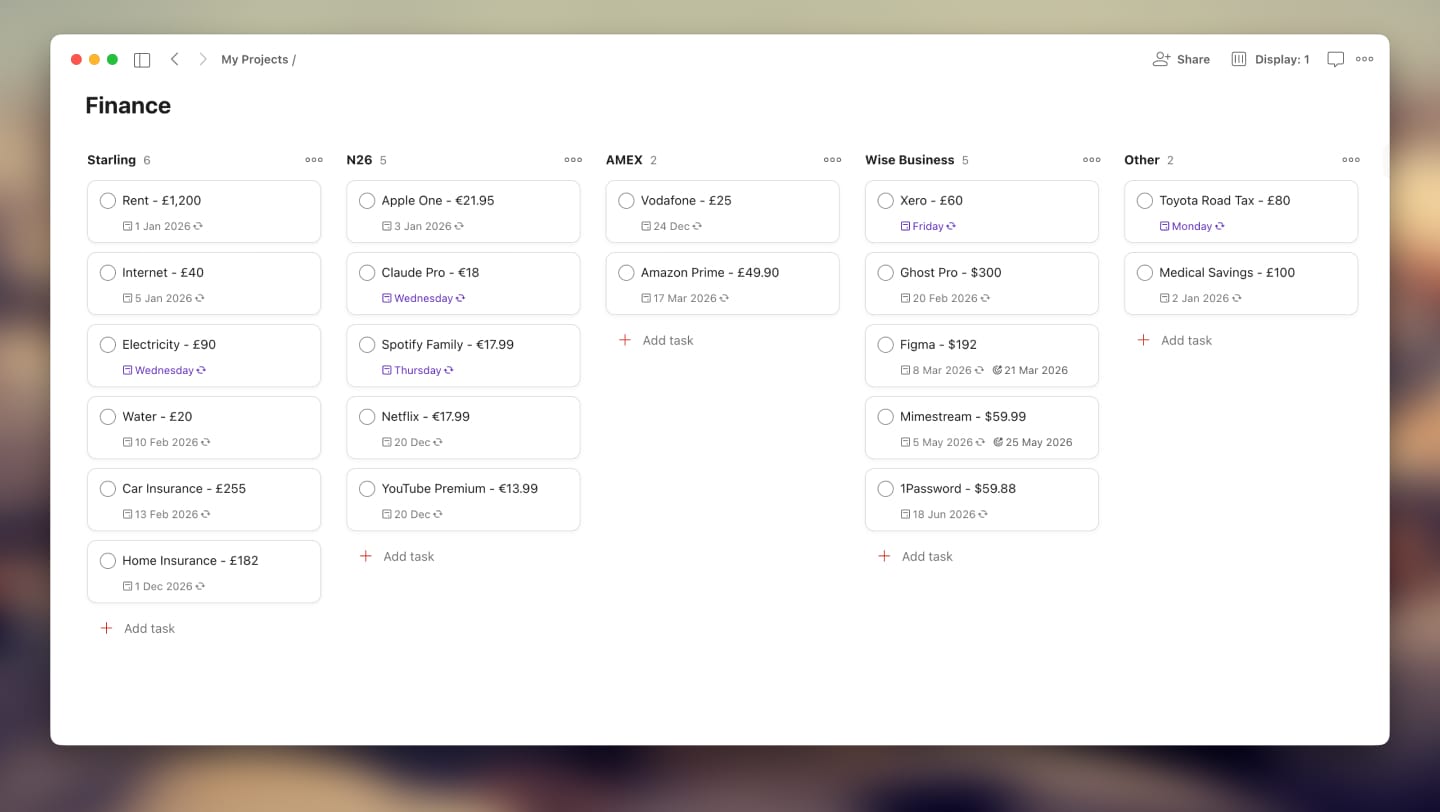
I keep all of these in a dedicated "Finance" project (or list, depending on your app's terminology). This keeps financial tasks separate from work and personal to-dos while still surfacing them in my daily view when they're due.
Name tasks with amounts
Don't just write "Netflix." Write "Netflix - €14.99."
This small detail makes a surprising difference. When you're scanning your upcoming payments, seeing the amounts helps you understand the actual impact on your account. It's the difference between "oh, I have some bills coming up" and "okay, that's roughly €200 going out this week."
Set and forget with recurring tasks
Most financial tasks are beautifully predictable. Netflix hits on the 15th of every month. Insurance renews annually on March 3rd. Your gym membership charges weekly on Mondays.
Set the recurrence once, get it right, and then forget about it. These tasks will resurface exactly when they need to, month after month, year after year. That annual subscription that sneaks up on everyone else? It'll appear in your Today view right on schedule, no surprises.
The key is accuracy. Double-check your billing dates when you first set things up. A recurring task set to the wrong day is worse than no task at all because it creates false confidence.
Use early reminders for bills that need thought
Most payments are straightforward: the task appears, you acknowledge it, and it's done. But some require a bit more consideration. You may be thinking about canceling a subscription before it renews. Maybe a bill is large enough that you want to make sure the funds are in place. Perhaps you need time to decide whether that annual service is still worth keeping.
For these cases, an early reminder helps. You still want the actual due date recorded accurately, but you also want a nudge a few days or a week beforehand so you can think it through. Todoist offers this through its Deadlines feature, while Apple Reminders has a built-in Early Reminder option that does exactly this. If your task manager doesn't support early reminders natively, the workaround is simple: create a separate task a week before the due date as your thinking prompt. It's an extra step, but for those tricky subscriptions you're on the fence about, it's worth the effort.
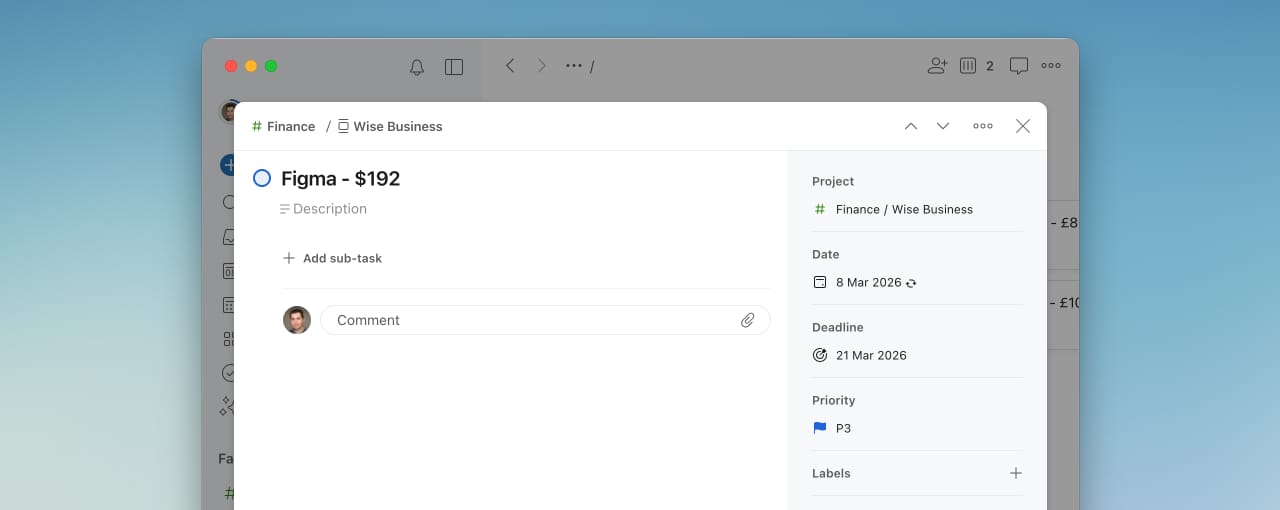
This is entirely optional. Most bills don't need advance warning; the "set and forget" approach handles them perfectly. But for the handful that benefit from a little mental runway, early reminders keep you in control of the decision rather than scrambling on the day.
Organize by account or payment method
Not all payments are equal in terms of where the money comes from. Some hit your main checking account; others charge a specific credit card. Keeping track of which account pays what helps you avoid overdrafts and manage cash flow.
I prefer using a board view with columns for each account or card. At a glance, I can see everything hitting my Visa this month versus what's coming out of my main account. If your app doesn't support boards, tags, or labels work just as well. The goal is to be able to filter or group by payment source when you need that view.
For bills that don't have a fixed payment method (things I pay manually each time), I use a generic "Payments" category. This catches the stragglers without cluttering the account-specific views.
Live in the Today view
This is the cornerstone of the whole system.
Your Today view (or whatever your app calls the daily focus screen) is where financial awareness happens naturally. You're already checking it for work deadlines and personal errands. When a payment is due today, it appears right there alongside everything else demanding your attention.
No separate app to open. No extra mental effort to remember "I should check my bills." It's just... there.
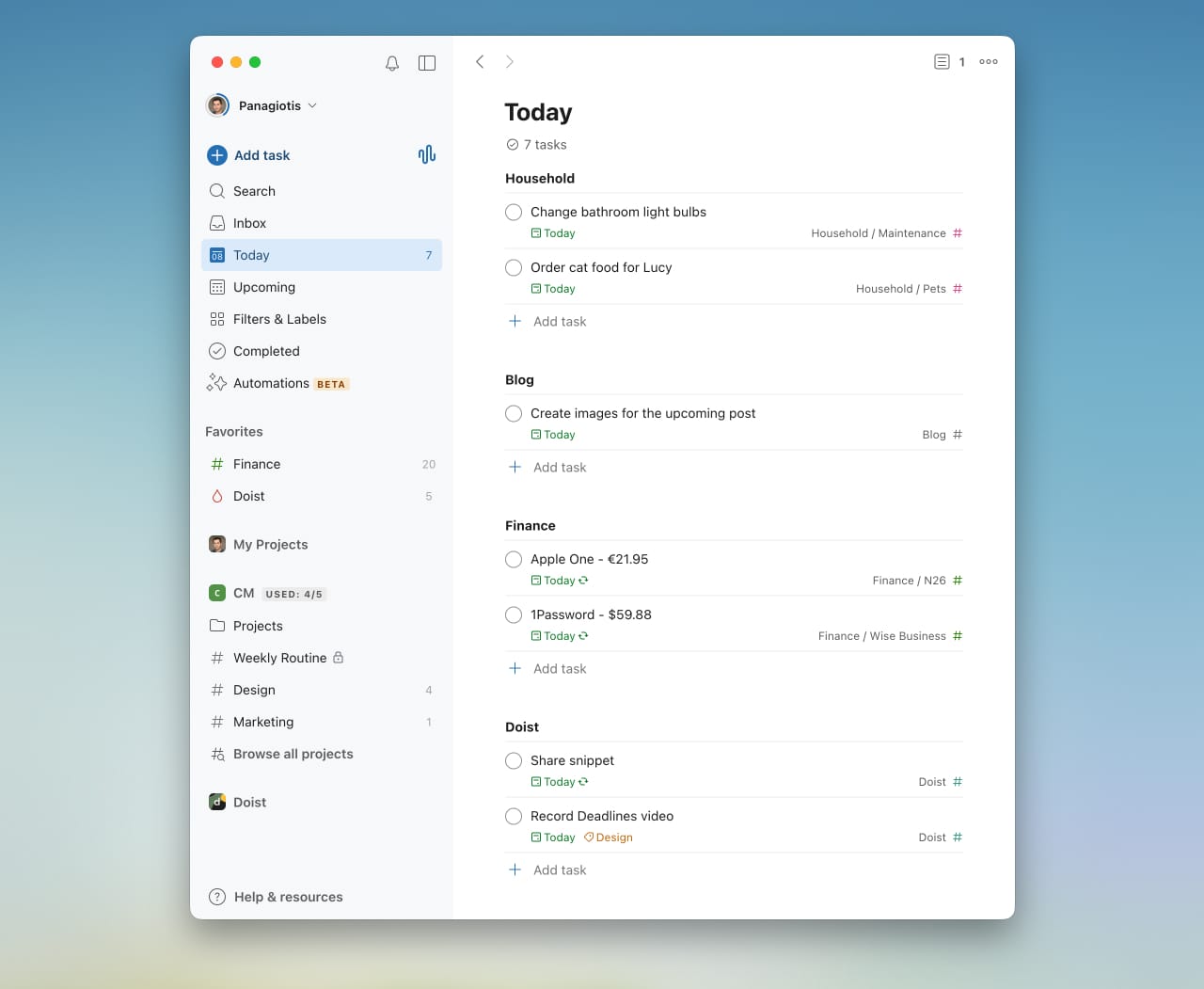
The Today view also creates accountability. When you see "Electricity - €85" sitting in your task list, you either deal with it or consciously postpone it. There's no passive forgetting. The task stares at you until you take action.
Use widgets to see beyond today
Living in the Today view keeps you focused on what's immediate. But sometimes you need to look ahead, to see what's coming next week or next month, so you can plan accordingly.
This is where widgets shine. I keep a Payments widget on my iPhone home screen that shows upcoming financial tasks beyond just today. It's a gentle preview of what's on the horizon without overwhelming me with the full list.
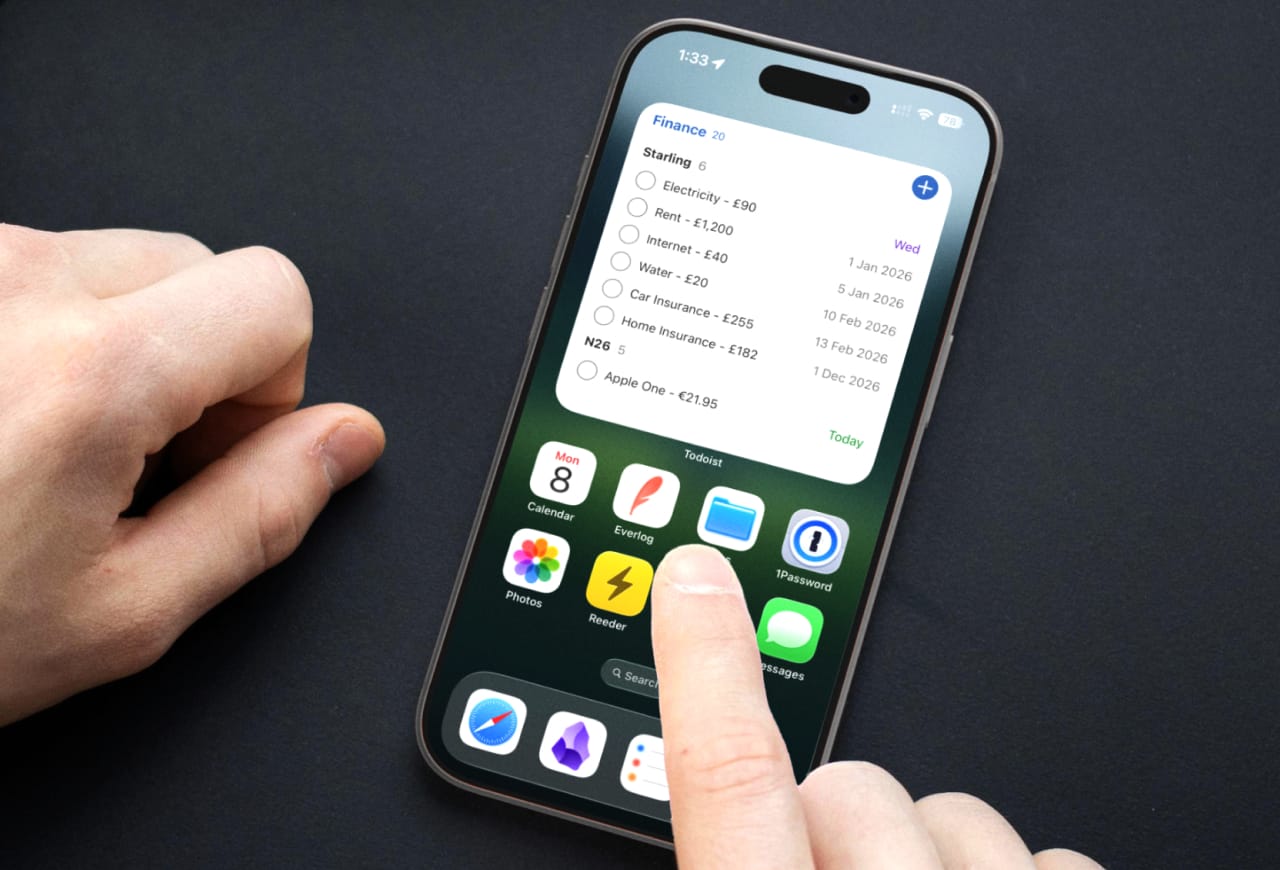
The combination works well: the Today view handles execution, the widget handles anticipation. Together, they create a rhythm where nothing sneaks up on you.
Sync with your calendar for the bird's-eye view
Most to-do apps can sync tasks to your calendar, either natively (like Apple Reminders) or through a calendar feed (like Todoist). This integration is particularly useful for financial planning.
When your payments appear as calendar events, you can zoom out and see the whole month (or several months) at once. This is invaluable when planning bigger expenses. Want to book a family trip? A quick look at your calendar reveals which months have breathing room and which ones are already heavy with obligations.
I've used this countless times to find the "wiggle room" months; those stretches where fewer subscriptions and bills cluster together, leaving more flexibility for discretionary spending.
The honest caveat
I've shared this system with plenty of friends over the years. Some adopted it immediately and never looked back. Others tried it for a week and quietly abandoned it.
The difference wasn't the system itself. It was whether they already lived in their to-do app.
This approach works brilliantly if you're the kind of person who checks your task manager every day, who actually processes your Today view, who treats your to-do app as the source of truth for your life. If that's you, adding finances to the mix is a natural extension of habits you've already built.
But if you're someone who sets up elaborate productivity systems and then ignores them, this won't magically fix your financial awareness. The habit of daily engagement with your to-do app is the foundation on which everything else rests. Without it, these tasks will pile up unseen, just like they would anywhere else.
The payoff
What I've gained from this system isn't just a decade of zero late fees (though that's nice). It's peace of mind.
There's a particular calm that comes from knowing exactly what's due, when it's due, and from which account. No surprises. No scrambling. No "wait, was that supposed to come out today?" panic. Just a steady awareness of where my money goes and when.
Your to-do app is already the place where you organize your life. Your finances deserve to be part of that picture. The setup takes an afternoon; the payoff lasts for years.
If you've built your own system for tracking bills and subscriptions, I'd love to hear how it works. Sometimes the best ideas come from seeing how someone else solved the same problem.