Brefast: A meal planning app born from my own macro-tracking frustrations
Meet Brefast, a meal planning app that helps you organize your weekly meals and track nutrition using the foods you already buy, without telling you what to eat.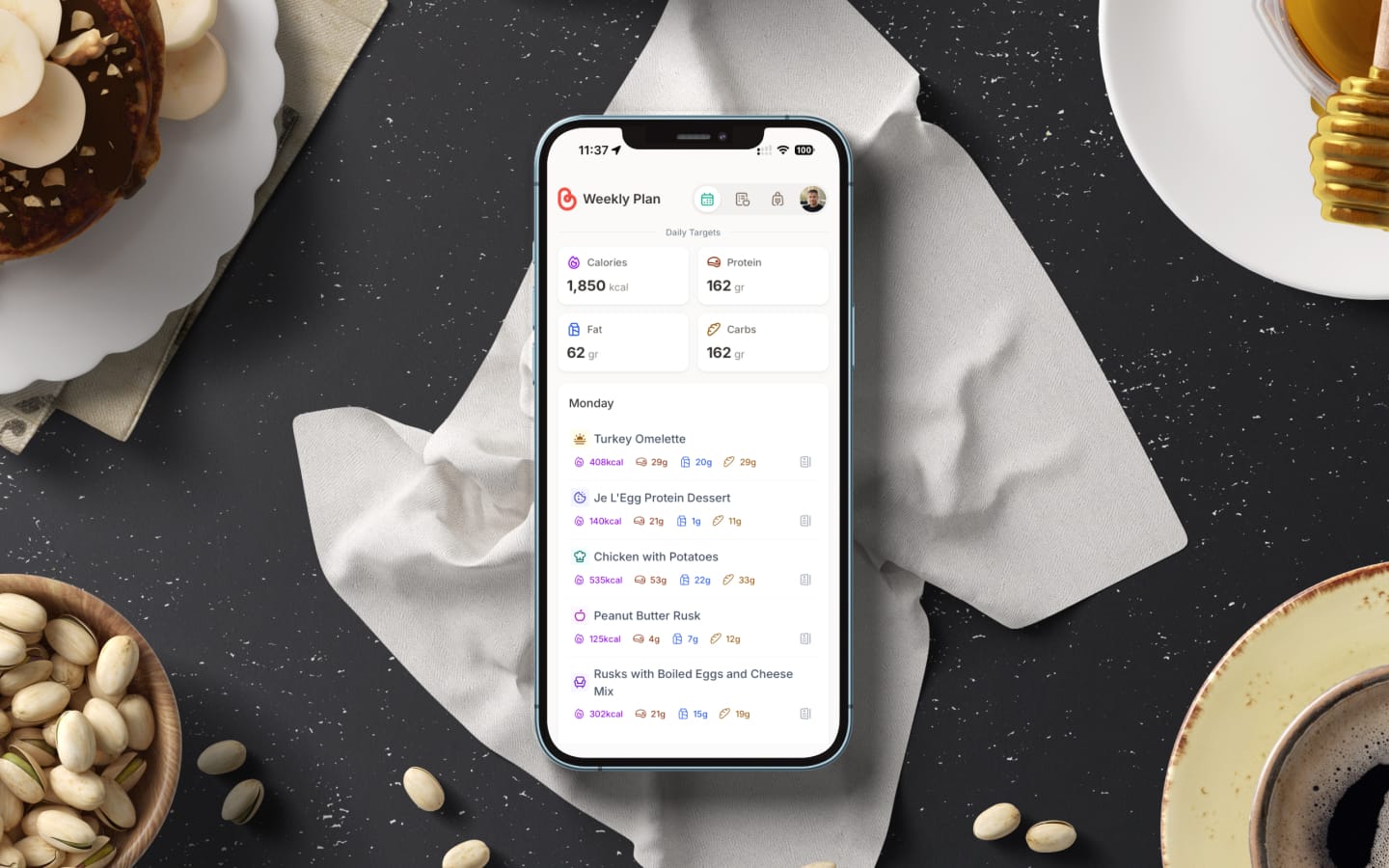
A couple of years ago, I decided to get serious about my nutrition. Not in a "join a gym and post transformation selfies" kind of way, but in a quiet, practical, "let me actually understand what I'm eating" kind of way. What started as a personal experiment with calorie counting eventually turned into something I didn't expect: a side project that's now live and looking for its first users.
This is the story of Brefast, a meal-planning app I built to solve a problem that no existing tool quite addressed. If you've ever tried to organize your meals around specific nutritional goals without being told what to eat, this might resonate.
It started with a spreadsheet (sort of)
Like most people who start paying attention to nutrition, my first instinct was to track everything. I wanted to understand calories, protein, carbs, and fats across my daily meals. Not to obsess over numbers, but to make informed choices that would stick long-term.
I didn't reach for a calorie-tracking app, though. Instead, I turned to AI. At the time, I was already exploring AI in my design workflows, so it felt natural to use the same tools for meal planning. I'd open ChatGPT, describe the foods I had at home, and ask it to calculate a day's worth of meals that hit my macro targets. It worked surprisingly well. Within minutes, I'd have a balanced meal plan built around the actual products sitting in my kitchen.
For a while, this was my system. Every few days, I'd prompt the AI, get a plan, and follow it. It felt efficient and flexible. But like most manual processes that depend on repetition, cracks started to show.
When the novelty wore off
The thing about using AI prompts for meal planning is that they work beautifully until they don't. The process itself was sound, but the repetition of it became a chore. Every few days, I'd have to re-describe my available products, re-state my goals, and re-prompt for a plan. There was no memory, no continuity. Each session started from scratch.
I also realized I was buying the same products at the supermarket week after week. Most of us do. The items in our trolley don't change dramatically from one trip to the next. Yet every time I sat down to plan meals, I was essentially rebuilding the same foundation over and over.
That's when the idea started to take shape: what if I had a tool where my products were already stored, my meals already defined, and all I had to do was arrange them across the week?
Then my wife joined the kitchen
The real tipping point came when my wife decided to follow a similar approach to her nutrition. Suddenly, we had two people in the same household, sharing the same kitchen and grocery runs, but with different nutritional goals and meal preferences.
The coordination problem was immediate. Who's eating what on Monday? Are we cooking separate meals or sharing? If I'm having chicken breast with rice for lunch, is there enough left for her dinner? And when we go to the supermarket, whose plan are we shopping for?
I tried to resolve this using shared notes, Google Sheets, and a shared Todoist project. None of it stuck. The tools weren't built for this specific kind of problem. They could hold information, but they couldn't connect it. A product's nutritional values, the meals it belongs to, the day it's planned for, and the grocery list it generates are all related components that need to communicate with each other. A spreadsheet can do that in theory. In practice, it's a maintenance nightmare.
That's when I stopped thinking about this as a personal workflow and started thinking about it as a product.
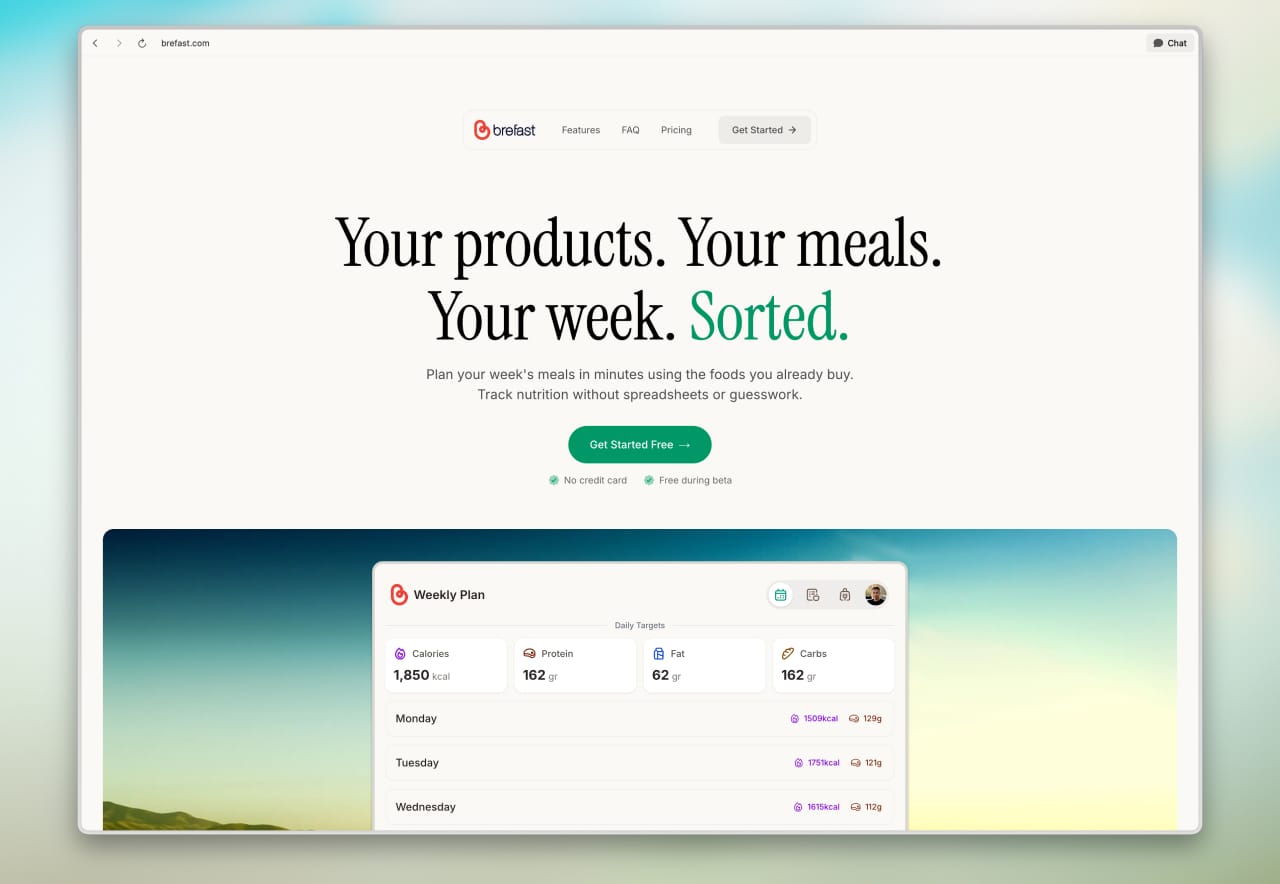
What is Brefast?
Brefast is a meal planning app for people who already know what they want to eat and just need a better way to organize it.
That distinction matters because the meal planning space is crowded, but not in the way you'd expect. After researching what's already out there, I noticed that most apps fall into one of two categories. There are recipe-driven planners like Mealime, eMeals, and MealPrepPro that build meal plans for you based on their recipe libraries. And there are calorie trackers like MyFitnessPal and Yazio that log what you've already eaten and tell you how you did.
Brefast does neither.
It doesn't tell you what to eat. It doesn't have a recipe database. It doesn't log your past meals or guilt-trip you about yesterday's pizza. Instead, it gives you a clean, structured space to define the products you buy, combine them into meals, spread those meals across a week, and see at a glance whether your nutritional targets are on track.
Think of it as the organizational layer that sits between "I've figured out my nutrition" and "I need to actually plan my week." Brefast doesn't replace your nutritional knowledge. It helps you put it to work.
How it works
The workflow is straightforward and mirrors how most of us already think about food:
1. Add your products
Start by adding the foods you regularly buy. Each product includes its nutritional information (calories, protein, carbs, fats) and the portion sizes you typically use. These are your building blocks.
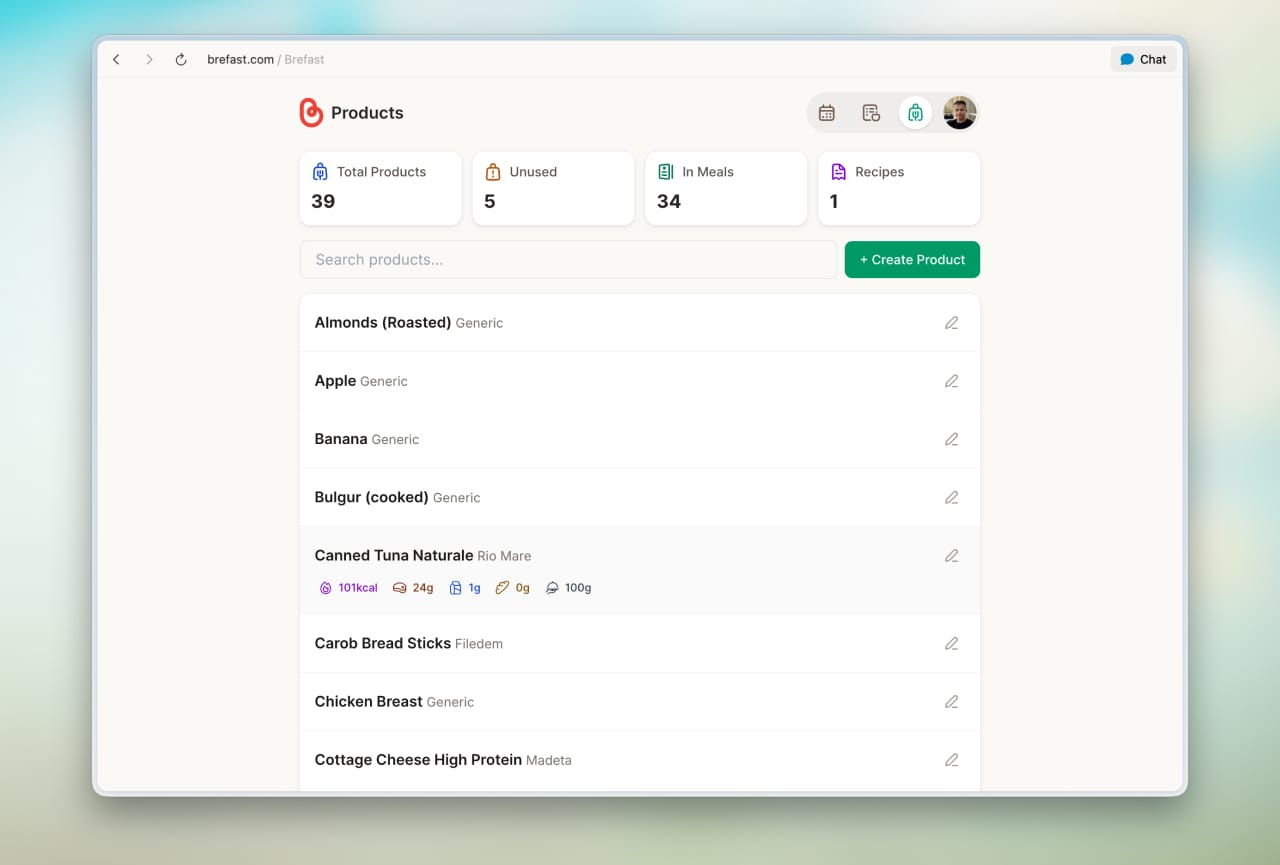
To speed things up, I've integrated Open Food Facts, an open-source database of food products from around the world. When you're adding a new product, you can search this database and pull in the nutritional label automatically, instead of typing everything by hand. It's not perfect for every product (especially regional or unpackaged foods), but it saves significant time on the everyday items you pick up at the supermarket.
2. Create your meals
Once your products are in, you combine them into meals. A meal might be "Greek yogurt with honey and granola" or "grilled chicken with rice and salad." Each meal calculates its total nutritional values based on the products and portions you've selected.
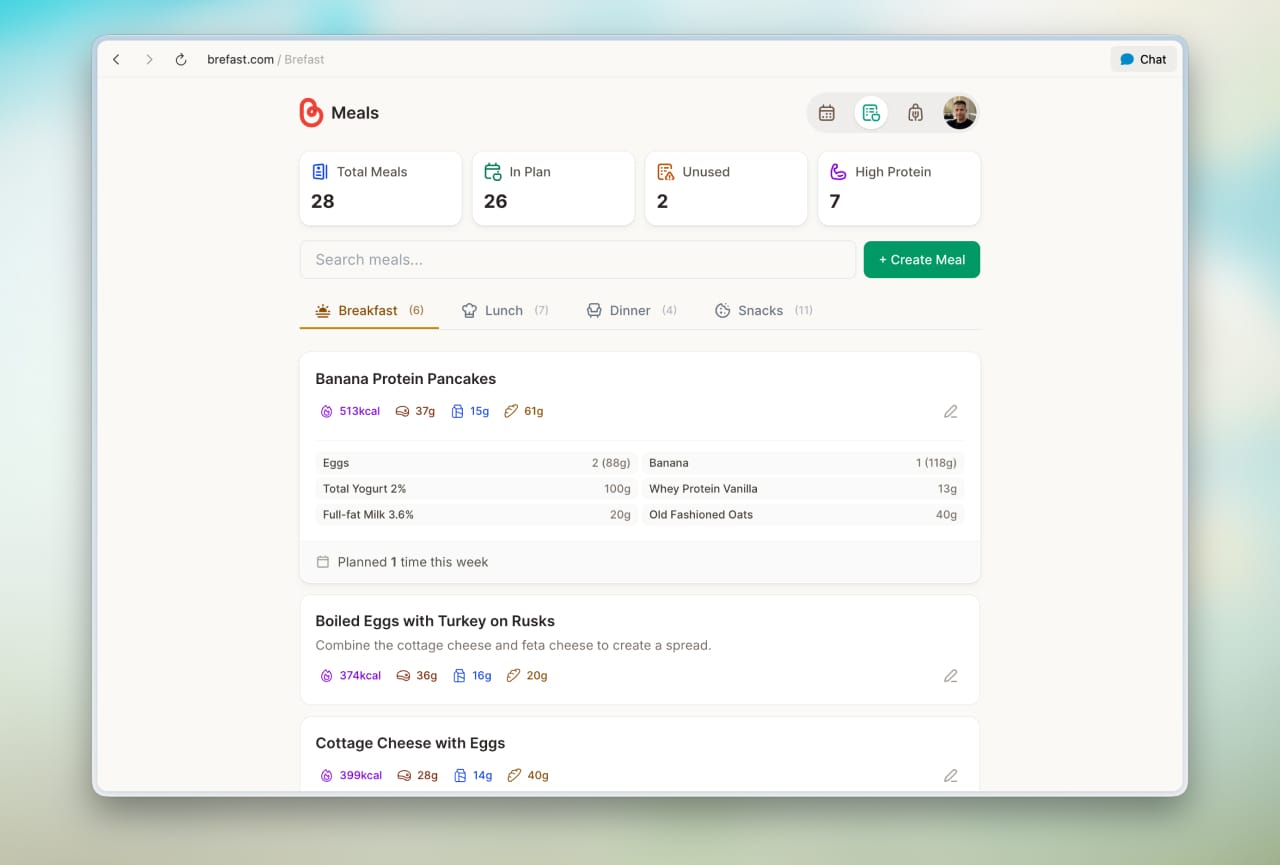
This is where the "bring your own knowledge" philosophy really kicks in. You're not choosing from someone else's recipe library. You're building meals that reflect your kitchen, your taste, and your goals.
3. Build your weekly plan
Once your meals are ready, assign them to the weekly calendar. Breakfast, lunch, dinner, snacks, whatever structure your day follows. As you fill the week, Brefast shows you a running overview of your daily nutritional intake right at the end of each day, so you can spot gaps or adjust portions before your next grocery run.
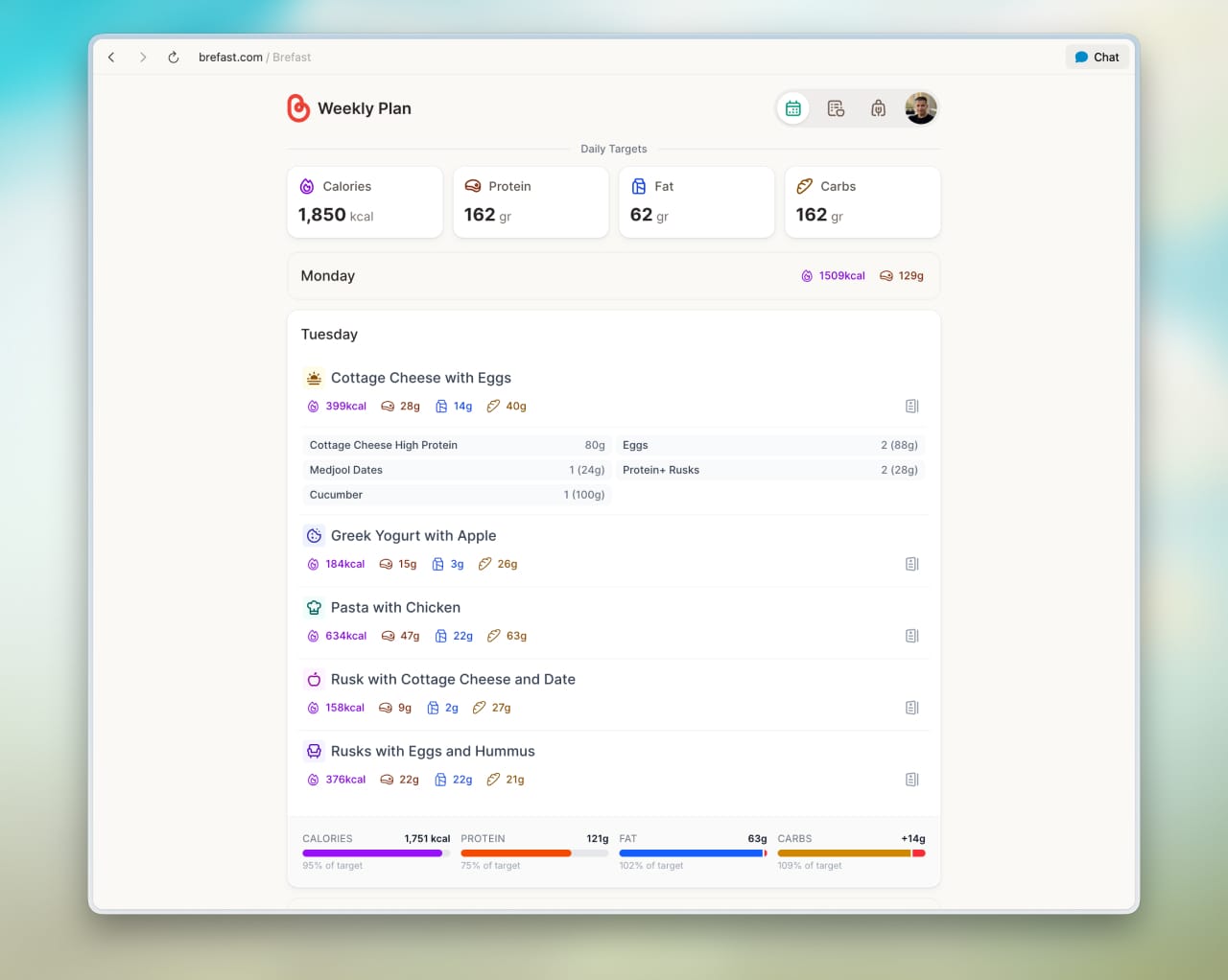
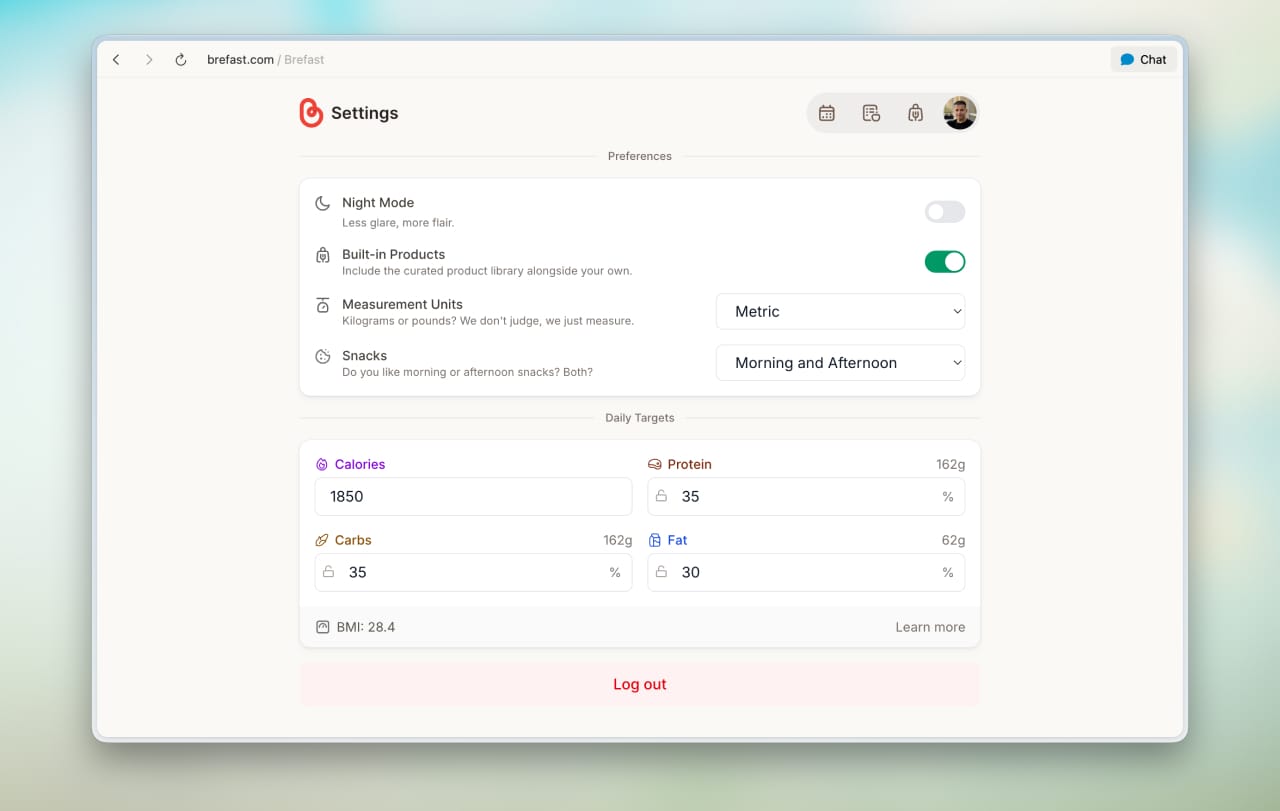
All the macro calculations you see throughout the app are tied to the daily targets you set in your preferences. You define your calorie goal, protein, carbs, and fats, and Brefast uses those numbers to show whether each day is on track. It's not about obsessive tracking. It's about awareness at a glance.
Two people, one kitchen
One of the features I'm most proud of is the ability for two people to coordinate their meal planning within the same household. This is the problem that pushed me to build the app in the first place, and it's something I haven't seen addressed well by other tools.
My wife and I have different caloric needs and different meal preferences, but we share the same fridge and the same supermarket trip. In Brefast, each of us maintains our own products and meals, completely private and tailored to our individual goals. But here's where it gets useful: we can share our weekly plans with each other through a secure, private process.
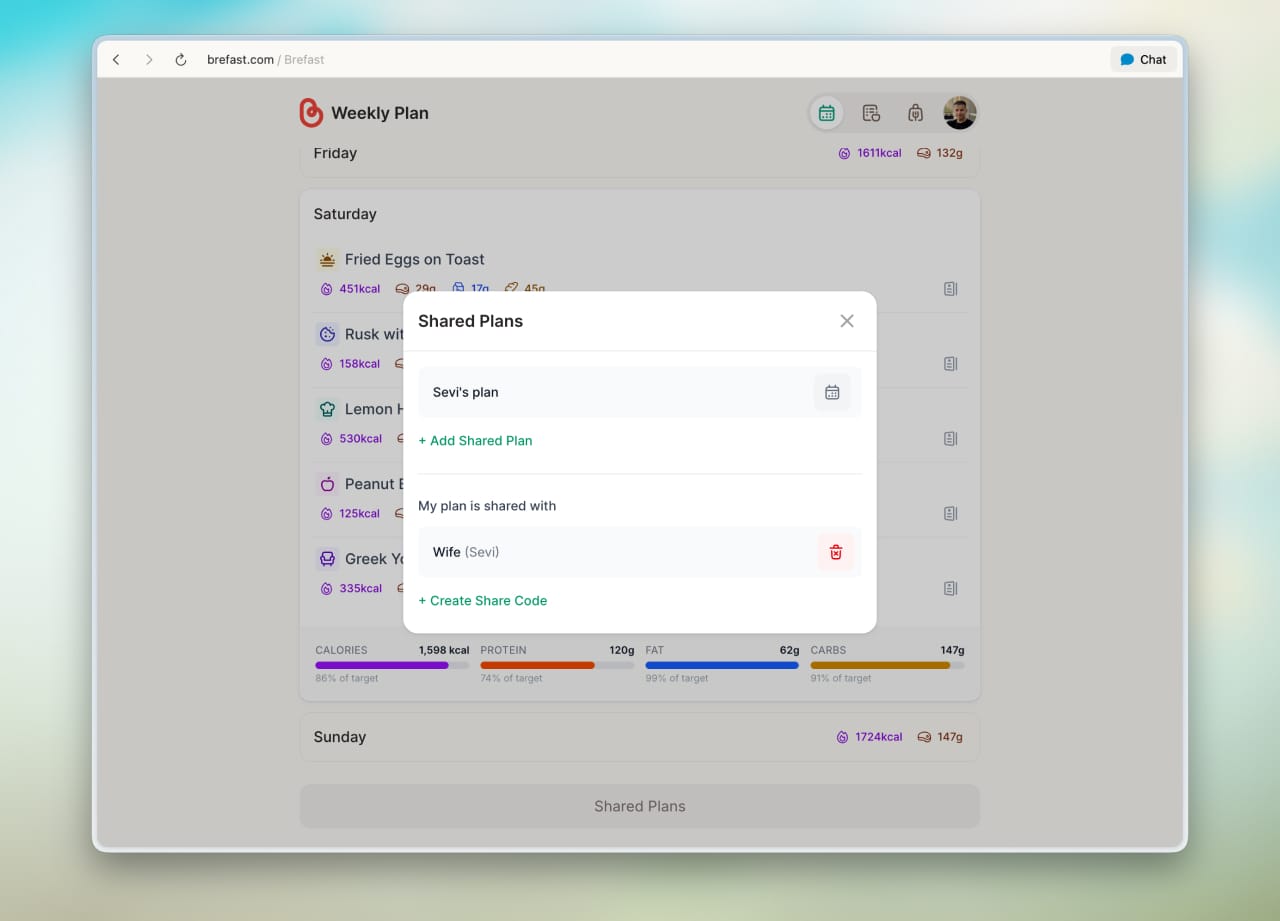
That means I can see what she's planned for the week, and she can see mine. When we're standing in the supermarket aisle wondering whether to grab an extra pack of chicken breast, the answer is right there. No more "Did you account for the eggs I need for Thursday?" conversations. No more guessing what the other person has planned. Just two people, planning independently, but with full visibility into each other's week when it matters.
What Brefast is not
I want to be upfront about this because the meal planning space invites certain assumptions.
Brefast is not a calorie tracker. It doesn't ask you to log what you ate after the fact. It doesn't sync with a fitness band. It doesn't gamify your eating habits or award you badges for staying under a calorie limit.
It's not a recipe app. It doesn't suggest meals, generate shopping lists from curated recipes, or offer cooking instructions. If you're looking for dinner inspiration, there are wonderful apps for that, but Brefast isn't one of them.
It's not a diet program. I'm not a nutritionist, and the app doesn't pretend to be one either. It doesn't prescribe macros, recommend meal plans, or offer dietary advice. The nutritional information you see is based entirely on the data you provide.
Brefast is an organizational tool. It's for people who've already done the thinking, consulted the professionals, or simply figured out what works for their body, and now need a structured, visual way to plan their week around it.
The tech behind it
For the curious (and I know many of you are), Brefast is a Progressive Web App (PWA). That means you access it through your browser, but you can install it on your phone's home screen and use it like a native app, no App Store required. It works on any device with a modern browser, including iPhone, Android, tablet, and desktop.
I chose the PWA route for a few practical reasons. It lets me iterate faster without dealing with app store review cycles. It keeps the app lightweight and accessible. And it means I can focus on the experience rather than maintaining separate codebases for different platforms.
The name, by the way, has its own story, which I'll save for another time. 😏
What's coming next
Brefast is live and usable right now at brefast.com, and it's completely free during this early access phase. But there's plenty more in the pipeline.
- Supermarket list generation. This is the feature I'm most excited about. Once you've built your weekly plan, Brefast will automatically generate a grocery list based on the products you need for those meals. No more mentally cross-referencing your plan with your fridge. Just plan your week, check what you already have, and head to the store with a clear list.
- Recipe importing from food blogs. I've been working on the ability to import recipes directly from popular food blogs. Instead of manually adding each product and portion from a recipe you found online, you'll be able to paste the URL and have Brefast pull in the relevant information. This bridges the gap between discovering recipes elsewhere and organizing them within your plan.
- More integrations and refinements. The Open Food Facts connection is already live, but I'm looking at ways to make it smarter and more reliable. The roadmap also includes UI improvements, onboarding refinements, and quality-of-life features driven by real-world usage and feedback.
Running an app like Brefast comes with real costs (servers, databases, third-party integrations), so a paid tier will eventually be necessary to keep things sustainable. For now, during the early access phase, everything is free.
Why I'm sharing this
If you've been reading this blog for a while, you know I have a soft spot for side projects. Building things outside my day job has always been part of how I learn, grow, and scratch creative itches. Brefast follows that same trajectory, born from a personal need, shaped by real constraints, and built one evening at a time.
But unlike a Ghost theme or a wallpaper pack, Brefast solves a problem I haven't outgrown. I use it every week. My wife uses it every week. And the more we use it, the more ideas surface for how it could be better.
That's where you come in.
Try it and tell me what you think
I'd genuinely love for you to give Brefast a try. Not because I think it's perfect (it's very much not), but because early feedback from real people shapes a product into something worth keeping.
Here's what would help me most:
- Does the workflow make sense? Is the flow from products to meals to the weekly plan intuitive, or did you get stuck somewhere?
- Is something missing? A feature, a piece of information, a way to view your data that would make Brefast more useful for your situation?
- Would you actually use this? Honestly. Not out of politeness, but because it solves a real problem in your week.
You can sign up and start planning at brefast.com. It takes a few minutes to add your first products, and once you've built a couple of meals, the weekly planning starts to click.
If you have thoughts, questions, or ideas, you'll find a feedback widget at the bottom of every page once you're logged in. Use it to share bugs, suggestions, or anything else that comes to mind. That's the fastest way to reach me. 😉
Of course, the comments below work too, and every piece of feedback helps me prioritize what to build next.